Your household paperwork, organized
Bring documents together from uploads and email. Search their contents, track important dates, and share selected records—all from a vault you host yourself.
AND EVERYTHING ELSE THE HOUSEHOLD KEEPS
File upload and email monitoring
Connect a mailbox, forward email, or upload files. Harbor extracts readable text and brings new documents into your Inbox.
Connect your inbox
Connect a supported mailbox over IMAP. Approve senders for automatic filing and review mail from other senders.
One address for the household
Set up a dedicated mailbox for forwarded documents. Harbor collects them so you can review and file them in one place.
Upload files and scans
Extract text from PDFs, scans, and photos, or upload a ZIP of documents. Word and Excel files can be stored, but their contents are not searchable.
OCR text recognition
Harbor extracts text from scans and photos using optical character recognition. Search the extracted text without opening each file.
File analysis and summarization
Connect a language model to get summaries and suggested categories, tags, people, and dates. Review the suggestions and correct them before accepting.
Document summaries
See a short summary of a document and its key details. Check amounts and dates against the original before acting on them.
Tags from the document itself
Use tags for details such as the insurer, year, or address. Harbor suggests existing tags; you can add or change them.
Categories you decide
Start with Identity, Real Estate, Money, Taxes and Health. Rename them, nest them, add the ones your household actually uses.
People and things
Link records to household members, properties, vehicles, and accounts. Open an item to see the documents associated with it.
Search inside your documents
Find a document by its title, tags, notes, or extracted text—even when you cannot remember the filename.
Full-text search
Search text extracted from documents, including scans. Results show the matching text to help you find the right record.
Language-aware search
Configure OCR for the languages in your documents. Search supports English and German word forms, and a connected model can provide translated summaries.
Narrow it to one person or one thing
Filter by person, property, category, tag, or date. Open a vehicle to see its linked receipts, policies, and other records.
The original, plus what it means
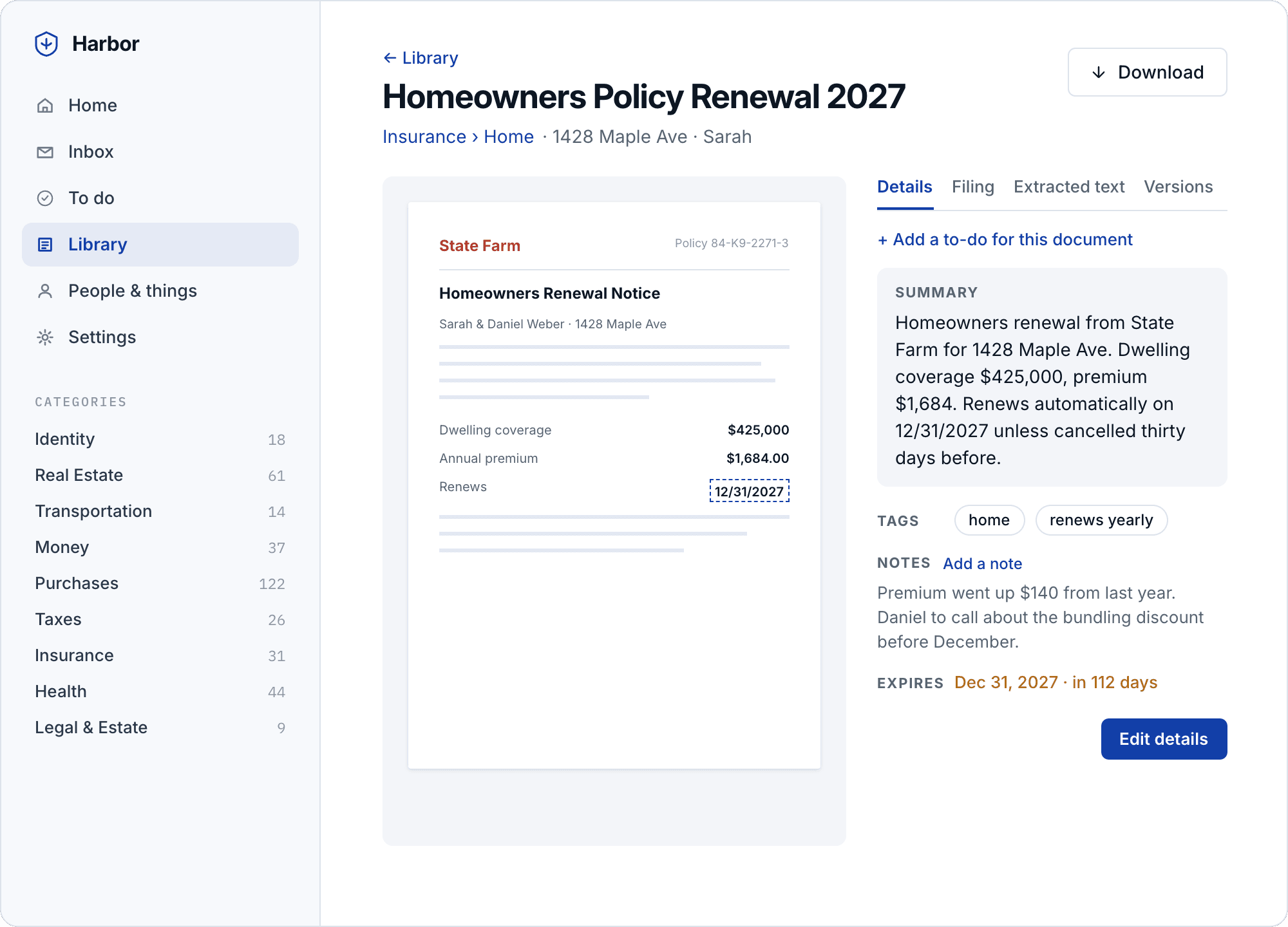
View the original document alongside its summary, tags, notes, versions, and change history.
View a document alongside its summary, tags, expiration date, and household notes. Keep the original and the details you need together.
Keep track of important dates
Review upcoming expirations and tasks in Harbor. Reminders stay in the app; there is no email digest or calendar feed.
Invoices and bills that are due
Accept a suggested payment task with its due date and amount, or add one yourself. Each linked task leads back to its document.
Passports, licences and ID cards
Review expiration dates suggested from your documents. Home shows upcoming expirations for the people and things in your vault.
Keep payment details together
Keep a payment amount and its currency with the task, so the details stay alongside the deadline.
One list, in the order it is due
See overdue tasks, what is due today, and what comes next. Completed tasks remain in the record so you can check them later.
An open-source vault you control
Run Harbor on hardware or hosting you control. Choose your backup destination and AI provider, and keep the recovery keys for your encrypted records.
Open source, AGPL-3.0
Read the source, follow development, and contribute changes. Harbor is available under the AGPL-3.0 license.
Fully self-hostable
Run Harbor on a Linux machine with Docker and an encrypted data volume. The setup guide explains the hardware and storage requirements.
Backups you have actually restored
Configure encrypted nightly backups to Backblaze B2, an SFTP server, or a second disk. Harbor runs a monthly restore test and shows the result in Settings.
Choose your AI provider
Use a local model or connect a hosted provider, which receives document text for suggestions. Harbor also works without AI summaries.